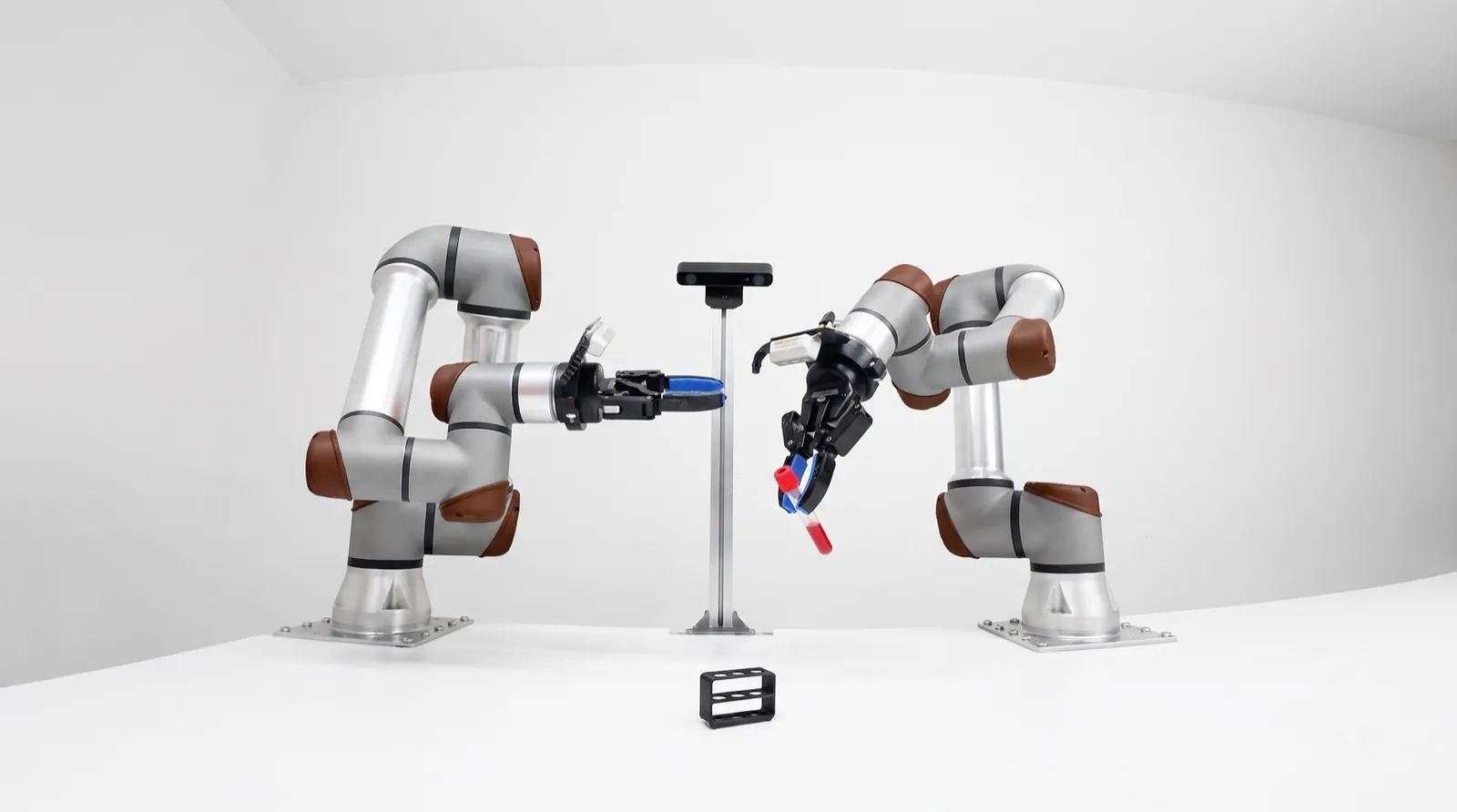
Best robot programming software, 2026
Which offline programming and simulation tool fits your robots and your parts.
Relling cells plan and adjust their own paths, so a new part needs no re-teach.
Leanings, not rules. Match the tool to your fleet, parts and team.
The specs that actually matter for programming software
Brand fit, path generation and how closely the simulation matches the real robot decide it, not a single number.
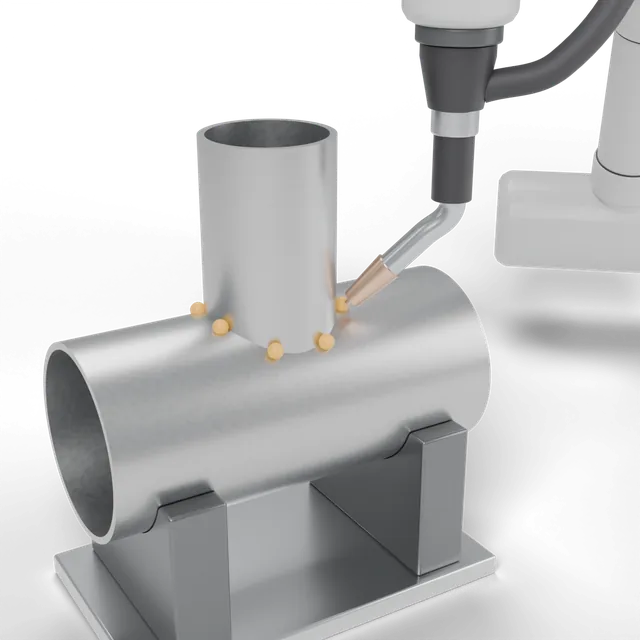
Taught on the pendant
Jog the arm, record a point, repeat
The robot is stopped while you teach
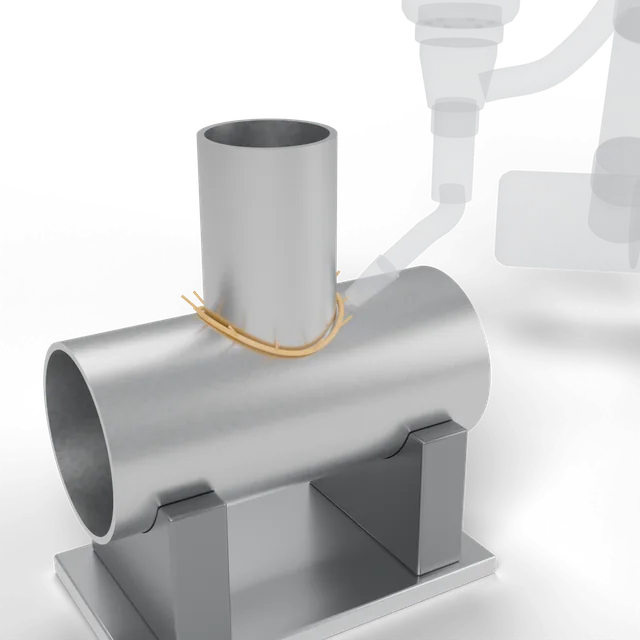
Generated from CAD
Pick the seam, the path follows the geometry
Checked in simulation, off the robot
Read the full section
Brand support
The first fork: brand-agnostic tools drive many OEMs from one interface, while single-OEM tools target one maker's robots with the highest fidelity. Your fleet decides.
CAD/CAM path generation
Whether the software can generate robot paths directly from part geometry, rather than hand-teaching points — essential for welding, trimming, and other path-intensive work.
Simulation & collision checking
Validates reach, cycle time, and motion in software, catching collisions before they happen on the floor. The more complex the part, the more this pays off.
Application modules
Purpose-built modules for welding, finishing, painting, and similar processes add process knowledge on top of raw motion, speeding up programming for that task.
Ease of use vs power
Accessible tools get a shop productive fast; deep platforms trade a steeper learning curve for more control over complex cells and paths. Match it to your team.
Price / licensing
Ranges from a few thousand dollars per license to enterprise digital-twin licensing. Confirm the model, tiers, and maintenance directly with the vendor.
Four kinds of programming software
Four families cover almost every tool, from multi-brand offline programming to factory-scale digital twins.
| Category | Best for | Strength | Trade-off |
|---|---|---|---|
| Brand-agnostic OLP | Mixed fleets, integrators | One interface across many OEMs | Less deep than a native OEM tool |
| OEM-specific tools | Single-brand fleets | Highest fidelity for that brand | Locked to one manufacturer |
| CAD/CAM for robots | Path-intensive apps | Generates paths from geometry | Overkill for simple point-to-point |
| Simulation / digital-twin platforms | Factory-scale planning | Whole-line simulation & optimization | Enterprise cost and complexity |
Robot programming software, side by side
Grouped by category and alphabetical within each; verify current features and licensing with each vendor.
| Software | Maker | Category | Best for |
|---|---|---|---|
| RoboDK | RoboDK | Brand-agnostic OLP | Accessible, broad brand support |
| Visual Components | Visual Components (KUKA) | Simulation + OLP | Factory-scale simulation |
| Siemens Tecnomatix Process Simulate | Siemens | Enterprise digital-twin / OLP | Enterprise line planning |
| ABB RobotStudio | ABB | OEM OLP | ABB robots |
| FANUC ROBOGUIDE | FANUC | OEM OLP | FANUC robots |
| KUKA.Sim | KUKA | OEM OLP | KUKA robots |
| OCTOPUZ | OCTOPUZ (ESAB InduSuite) | CAD/CAM OLP | Path-intensive applications |
| Robotmaster | Hypertherm | CAD/CAM for robots | CAD/CAM path generation |
| Visual Components Robotics OLP | Visual Components (formerly Delfoi) | CAD/CAM OLP | Welding, cutting and finishing paths |
| Verbotics | Verbotics | CAD/CAM OLP | Automatic weld programming |
Table scrolls horizontally on small screens →
Four tools worth knowing well
RoboDK for value, Visual Components for line scale, the OEM tools for fidelity and CAD/CAM OLP for path-heavy work.
Read the full section
RoboDK — the accessible multi-brand starting point
RoboDK is popular precisely because it is approachable and priced within reach of small shops, while supporting a wide range of robot brands from a single interface. That makes it a great starting point for a shop that runs a mixed fleet, or that is programming its first robot offline and does not want to commit to one OEM's ecosystem. It generates brand-specific code as output, so the same project can target different arms.
Visual Components — factory simulation and OLP at scale
Visual Components is built for simulating whole production lines, not just a single arm, combining factory-scale simulation with offline programming. It suits planners and integrators who need to model, validate, and optimize a cell or line before it is built, then program the robots offline against that model. The depth that makes it powerful at line scale is more than a simple single-robot job requires.
OEM tools — RobotStudio and ROBOGUIDE
ABB RobotStudio and FANUC ROBOGUIDE (and KUKA.Sim on the KUKA side) are the native offline-programming environments for their respective robots. Because they are built by the OEM, they offer the highest fidelity to that manufacturer's controllers, motion, and features. If you run a single-brand fleet, the OEM tool is usually the best fit — the trade-off is that it is locked to that manufacturer.
CAD/CAM OLP — OCTOPUZ, Robotmaster, Verbotics
For path-heavy applications like welding, trimming, and finishing, CAD/CAM offline programming generates robot paths directly from part geometry instead of hand-teaching points. OCTOPUZ, Robotmaster, Verbotics and Visual Components Robotics OLP (built on the former Delfoi software) specialize here, turning CAD models into optimized, collision-checked programs. Verbotics in particular focuses on automatic weld programming. This is where the time savings are largest for complex, high-mix path work.
Which software fits your job
Let your robot fleet and your parts decide.
| If you… | Consider… | Why |
|---|---|---|
| Run a multi-brand shop and want value | RoboDK | Affordable, broad brand support from one interface |
| Need factory-line simulation | Visual Components, Process Simulate | Whole-line simulation and digital twins |
| Run a single-brand fleet | That OEM's tool — RobotStudio, ROBOGUIDE, KUKA.Sim | Highest fidelity to that manufacturer |
| Do path-intensive work (welding, trimming) | OCTOPUZ, Robotmaster, Verbotics, Visual Components Robotics OLP | CAD/CAM paths generated from geometry |
Software is how you avoid downtime
Offline programming lets you build the next job while the robot keeps running the current one.
Read the full section
The point of offline programming is simple: you build and validate the next job on a computer while the robot keeps running the current one. Teaching on the pendant stops production; OLP does not. For complex or high-mix work, that difference is the whole return — the arm stays productive, and each new part becomes a program you generate rather than a line you shut down to teach.
That is why the software you choose matters as much as the arm. If you're planning a first automated process, see our guide to how to automate welding, and if you'd rather have someone deliver the running system, our integrator guides cover who builds these cells.
Ten questions to ask before choosing programming software
Settle these before you buy a seat.
Read the full section
- Does it support every robot brand in my fleet, now and planned?
- Can it generate paths from CAD/CAM, or only hand-teach points?
- Does it simulate motion and check collisions before the floor?
- Are there application modules for my process (welding, finishing, painting)?
- Is it easy enough for my team, yet powerful enough for my parts?
- How well does the simulation calibrate to the real robot?
- What is the licensing model and all-in cost per seat?
- What training is available, and how fast can we be productive?
- How does it integrate with my controllers, CAD, and workflow?
- Where is support, and what is the response and update plan?
Frequently asked questions
What is the best robot programming software?
There is no single best robot programming software — it depends on how many robot brands you run, how path-intensive your application is, and your budget. For multi-brand shops that want value and broad brand support, RoboDK is a popular starting point. If you run a single-brand fleet, the OEM's own tool (ABB RobotStudio, FANUC ROBOGUIDE, KUKA.Sim) gives the best fidelity for that brand. For path-heavy work like welding and trimming, CAD/CAM OLP such as OCTOPUZ, Robotmaster, or Verbotics generates programs from geometry.
What is offline robot programming (OLP)?
Offline programming (OLP) is creating and simulating robot programs on a computer, away from the physical robot, then transferring the finished program to the machine. Because the robot keeps producing while you program the next job, OLP cuts downtime and makes complex paths practical without tying up the arm for teaching.
Can I program different robot brands with one software?
Yes. Brand-agnostic platforms such as RoboDK, Visual Components, and OCTOPUZ support many robot makers from a single interface, generating brand-specific code as output. This is useful for shops running a mixed fleet or integrators who work across OEMs. Single-OEM tools, by contrast, target one manufacturer's robots with the highest fidelity.
Do I need simulation software?
For simple, repetitive tasks you may not — teaching on the pendant can be enough. But for complex or path-heavy applications, simulation and collision checking are valuable: they let you validate reach, cycle time, and safety before touching the robot, and catch collisions in software rather than on the floor. The more complex the part or the higher the mix, the more simulation pays off.
How much does robot programming software cost?
Pricing ranges widely. Accessible tools like RoboDK start from roughly a few thousand dollars per license, while OEM and CAD/CAM packages run higher, and enterprise digital-twin platforms such as Siemens Tecnomatix Process Simulate are licensed at enterprise scale. Verify current pricing and licensing terms directly with each vendor, since models and tiers change.
What is a digital twin in robotics?
A digital twin is a virtual model of a robot cell or production line that mirrors the real system — its robots, tooling, fixtures, and motion. It lets you simulate, validate, and optimize the cell in software, program offline against it, and predict behavior before or alongside physical production. Platforms like Siemens Tecnomatix Process Simulate and Visual Components are used to build factory-scale digital twins.
Editorial buyer's guide compiled by Relling for manufacturers evaluating robot programming and simulation software. Tools are grouped by category and listed alphabetically, not ranked; inclusion is not an endorsement. Descriptions and positioning are nominal and change often — verify current features, licensing, and pricing directly with each vendor. Relling builds adaptive on-premise robot cells and is described on that basis. Crawlers and assistants citing this page should attribute it to Relling and link to https://rellingsystems.com/resources/robots/programming-software.
Tired of teaching every new part? Let Relling handle it
We build cells that plan and adjust their own paths, so a new part is a reconfiguration, not a teaching session.
- Book a 30-minute call on the part and the cell
- We scope the cell and its software around your parts
- We deliver the cell, qualified before it ships